What it does
- Scores Leads based on email/phone presence, source, and other criteria you define.
- Sets Engagement Score, Tier (Hot/Warm/Cold), Score Reason, and Score Last Updated.
- Includes Engagement Weight custom metadata to adjust points without editing the flow.
Why it helps
- Gives reps a prioritized view of the highest-value Leads.
- Out-of-the-box analytics spotlight what’s working by owner and tier.
- No Apex required; designed for admins to configure.
What’s included
- Metadata ZIP (Flow +
package.xml+ Custom Metadata) - Reports: Hot Leads (60+), Avg Score by Owner, Tier Distribution, Top 10 by Score
- Dashboard: Lead Engagement Overview
- Installation Guide (PDF)
Requirements
- Salesforce Enterprise/Unlimited/Developer Edition
- Access to Salesforce Workbench
- Permission to deploy metadata and activate Flows
Install & Configure
- Deploy the provided ZIP via Workbench (Migrations → Deploy → Single Package).
- Activate the Lead Engagement Scoring flow and add the four fields to your Lead layout.
- Adjust weights in Setup → Custom Metadata Types → Engagement Weight as needed.
- Open the reports and the Lead Engagement Overview dashboard to verify analytics.
Screenshots
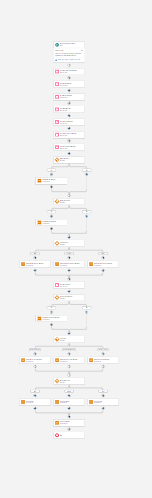
Flow Builder overview of the Lead Engagement Scoring flow.
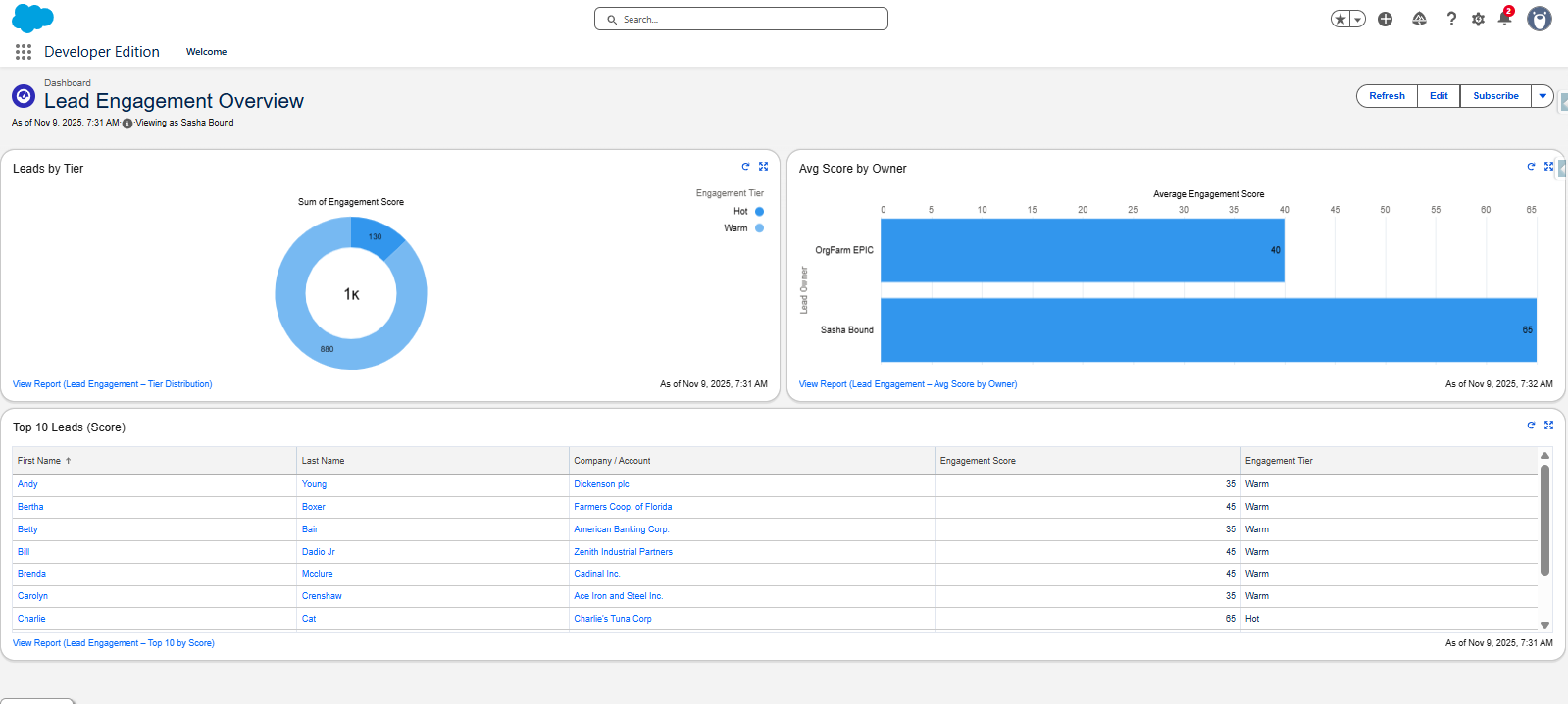
Lead Engagement Overview dashboard.
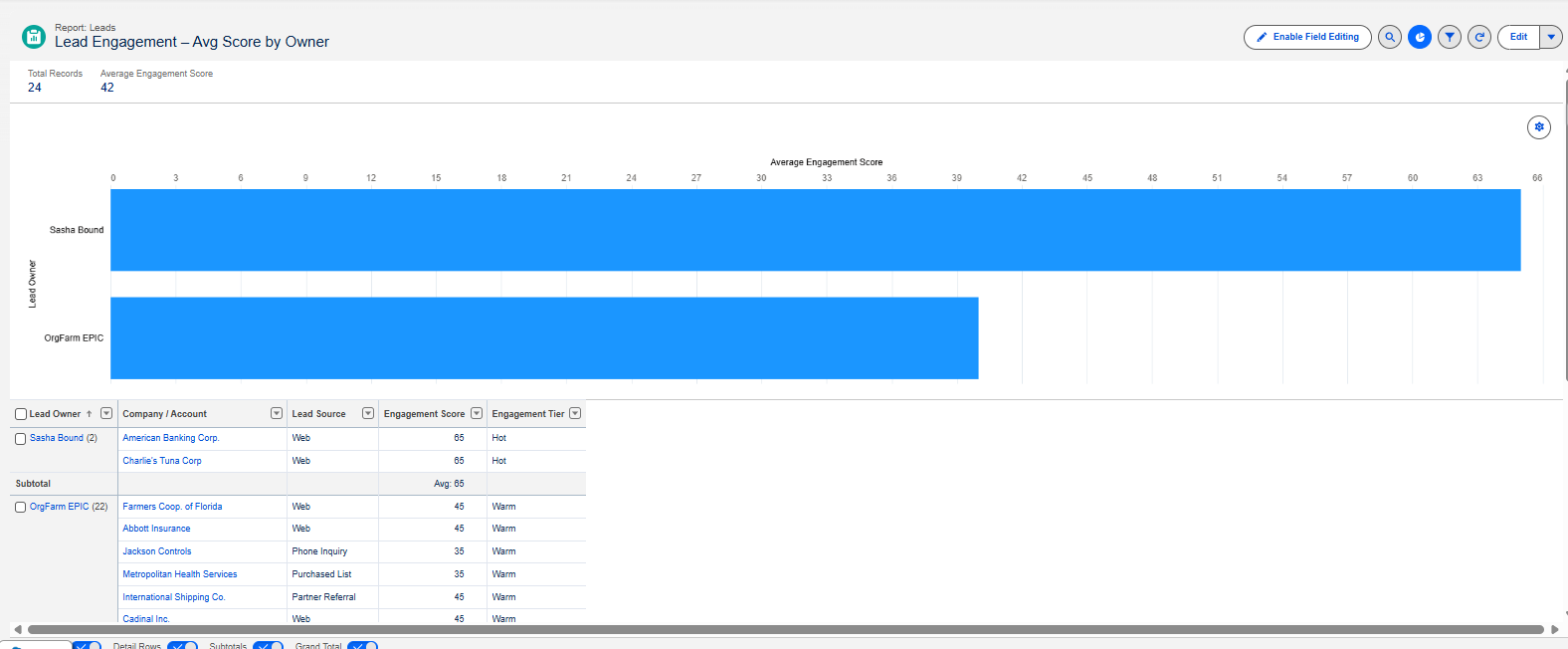
Example report: Avg Score by Owner.
 Powered by Gumroad • Secure checkout • Instant download
Refunds: if the download fails or the asset is unusable in your supported edition, email [email protected] within 7 days.