What it does
- Scans Lead, Contact, and Account records for missing key fields such as email, phone, and address (city/state/billing).
- Checks for potential duplicates on each object based on matching email or phone.
- Flags “old” records (older than 12 months) so you can decide what to archive, clean, or re-engage.
- Creates a Data Issue record for each problem with Issue Type, detail, status, and a direct link back to the source record.
Why it helps
- Gives admins and ops a central place to see data problems instead of hunting across multiple lists and reports.
- Helps clean lists before campaigns, reporting, or integrations by surfacing bad or incomplete data.
- Provides out-of-the-box analytics so you can show stakeholders where data quality issues are coming from.
- No Apex required — extend or tweak the rules in Flow Builder when your business needs change.
What’s included
- Metadata ZIP (Flow
EZT_Data_Quality_Check+ Data Issue custom object +package.xml) - Reports: Data Issues by Type, Data Issues by Object, Open Data Issues, Issues by Status, Issues Over Time
- Dashboard: Data Quality Overview (folder: Data Quality)
- Installation & Testing Guide (PDF)
- Permission Set: EZT Data Quality User (for easy access management)
Requirements
- Salesforce Enterprise/Unlimited/Developer Edition
- Access to Salesforce Workbench
- Permission to deploy metadata and run/activate Flows
Install & Configure
- Create a report folder and a dashboard folder with name "Lead Engagement" before deploying the provided ZIP.
- Deploy the provided ZIP via Workbench (Migrations → Deploy → Single Package).
- Assign the EZT Data Quality User permission set to admins or power users who will review Data Issues and dashboards.
- Optionally add the Data Issue object to your app navigation or related lists where you want to surface issues.
- From Setup → Flows, open and run EZT_Data_Quality_Check for each object type (Lead, Contact, Account) to generate Data Issue records.
- Open the reports and the Data Quality Overview dashboard (folders: Data Issues / Data Quality) to verify analytics and counts.
Screenshots
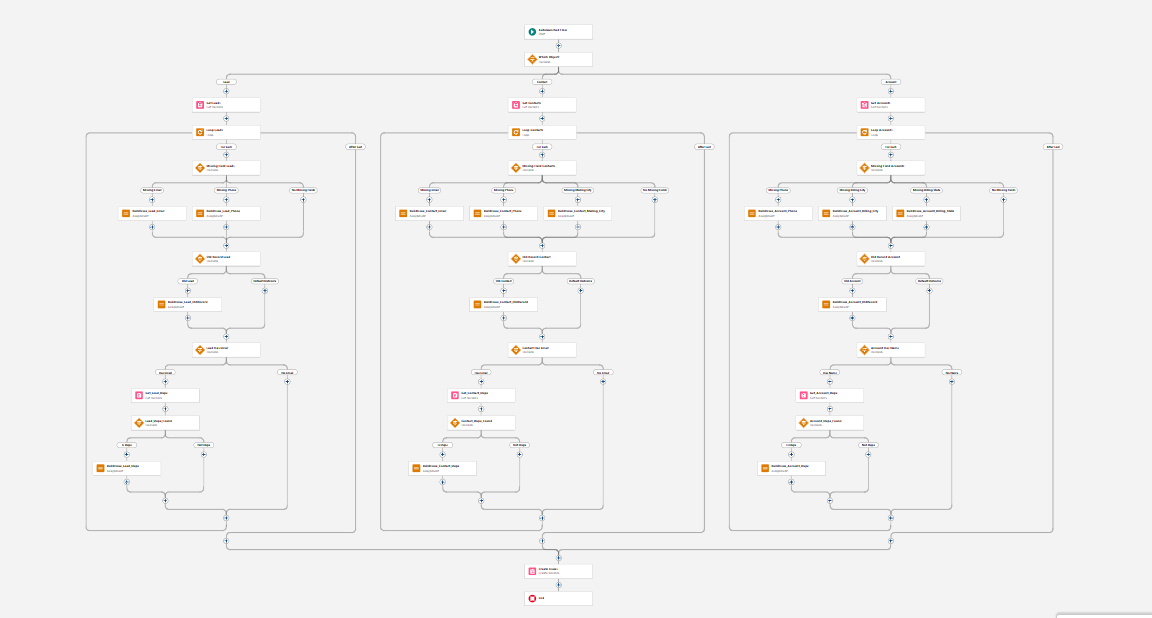
Flow Builder overview of the EZT_Data_Quality_Check autolaunched flow.
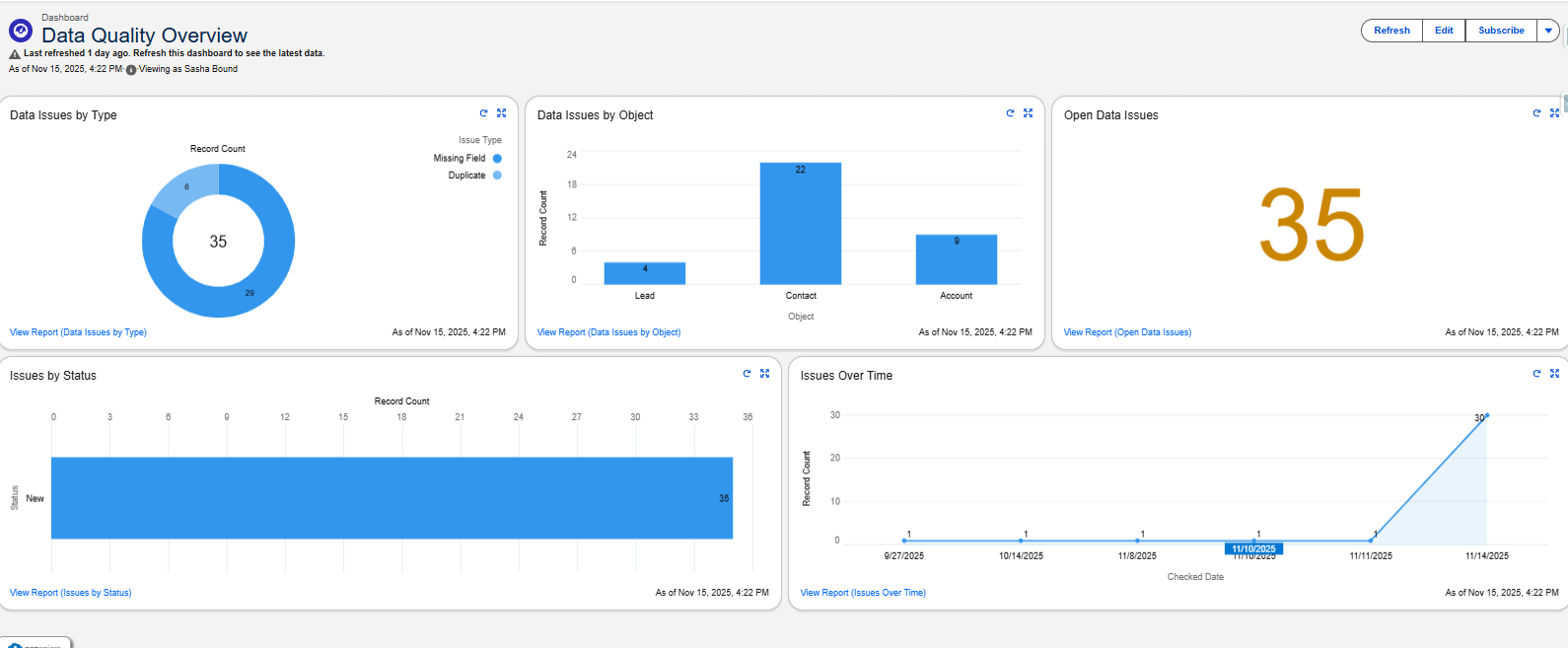
Data Quality Overview dashboard showing counts by type, object, status, and over time.
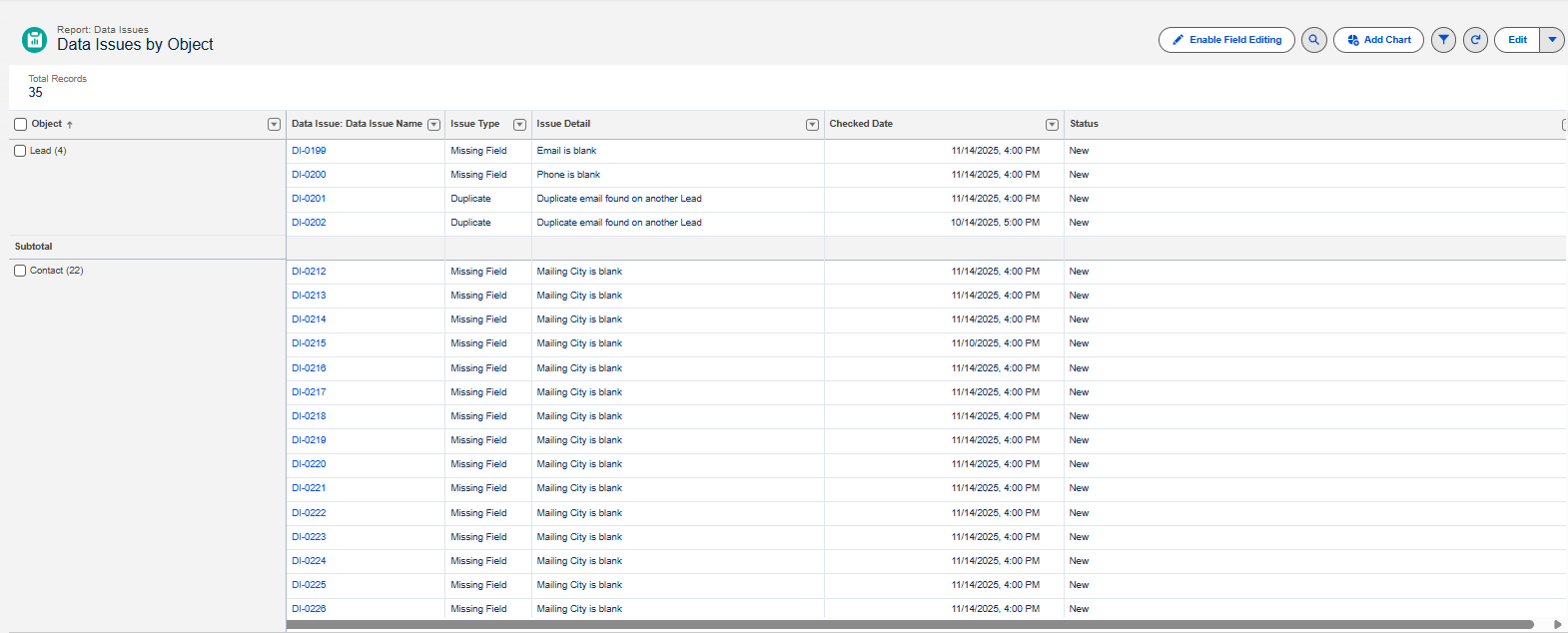
Example report: Data Issues by Object, breaking down where problems are concentrated.
 Powered by Gumroad • Secure checkout • Instant download
Refunds: if the download fails or the asset is unusable in your supported edition, email [email protected] within 7 days.